 PlainCopy
PDF Scanner for iPhone and iPad
Scan to PDF.
No Watermark.
No Account.
PlainCopy is a PDF scanner app for iPhone and iPad. Scanning, editing, naming and exporting are free, with no watermark and no account. Pro makes every scan searchable, suggests where to file it, and sends it to Files, Paperless-ngx, WebDAV or email in one tap.
- iOS 17 or later
- Works offline
- No sign-up
 Northwind Home Receipt.pdf412 KB
How it works
Scan, Name, Send
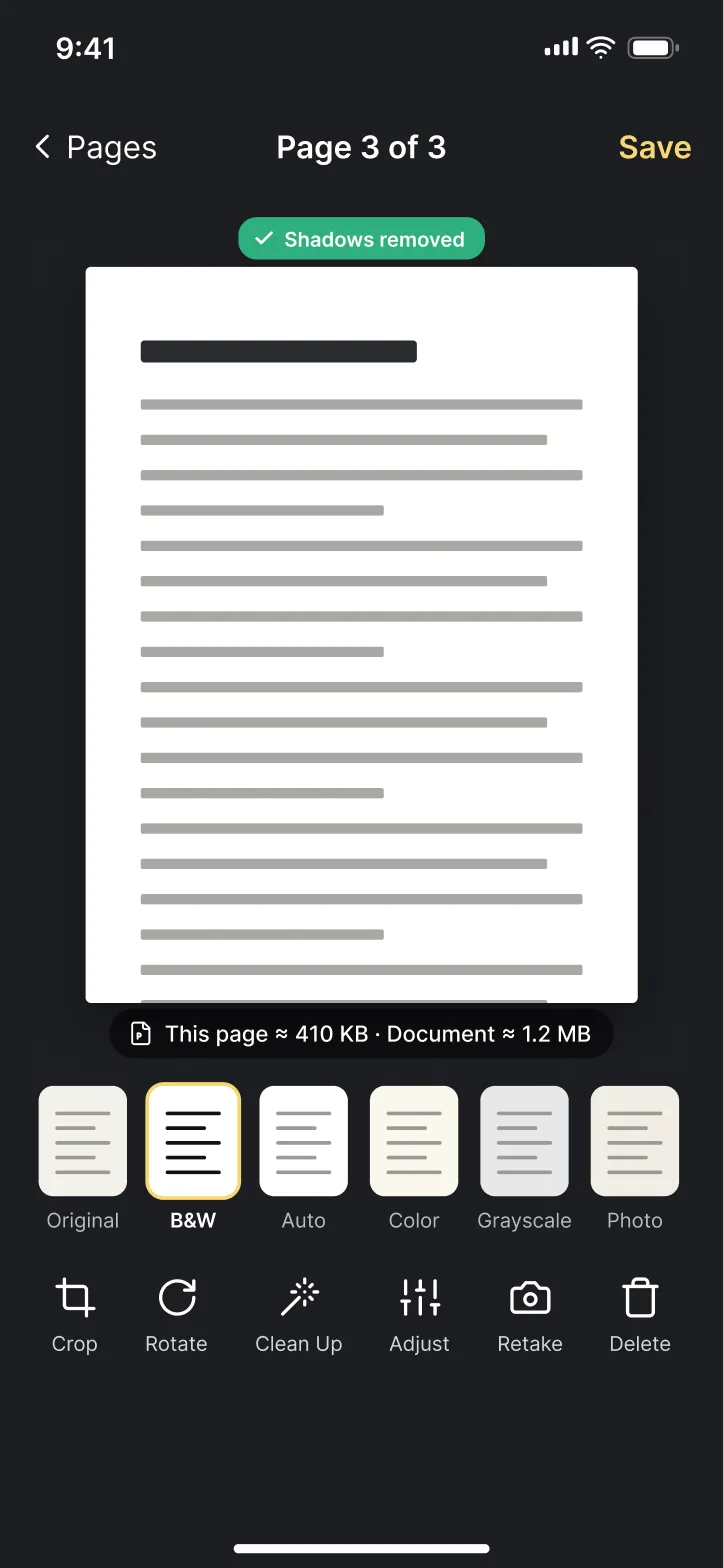
01Scan
Hold your device over the page. Edges are found and pages are captured on their own, as many as you need. Or import from Photos and Files.
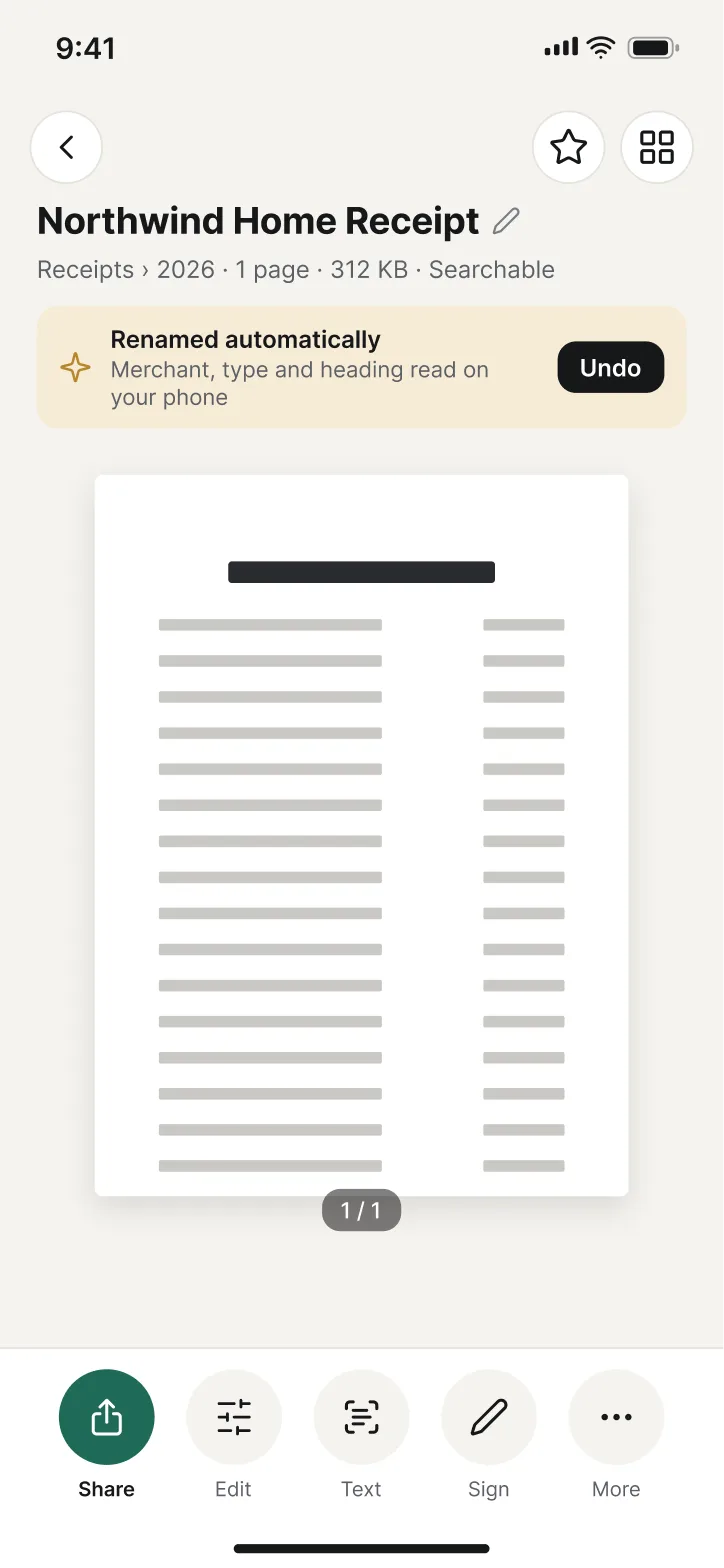
02Name
Each scan is named on your device from its heading, merchant and type, then saved as a plain PDF in your Files. B&W by default, about 400 KB a page.
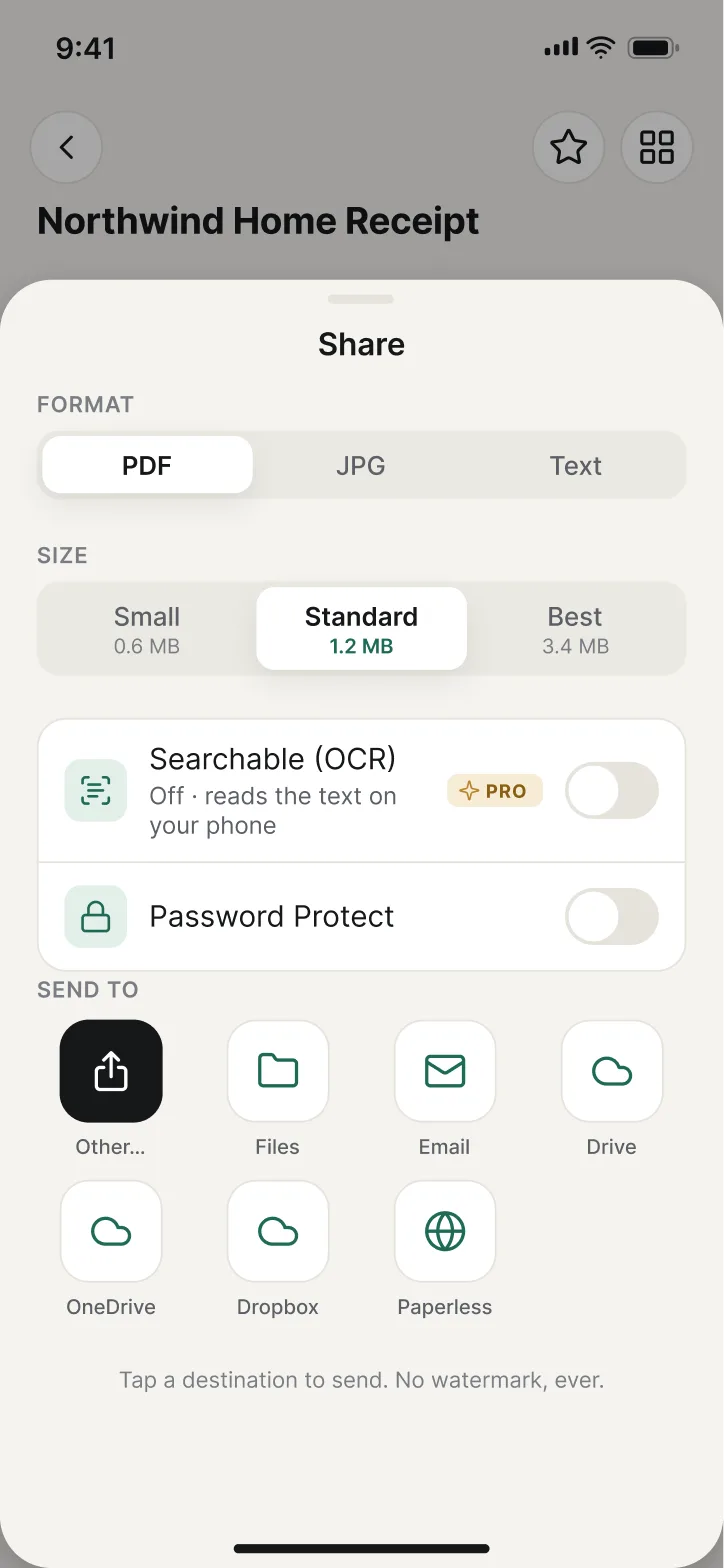
03Send
Share as PDF or JPG to Files, Mail or any app. With Pro, Send To puts it in a folder, Paperless-ngx, WebDAV or an email in one tap.
Free and Pro
Free to Scan. Pro to Finish the Job.
Free $0
- Scan with auto edges, multi-page, or import from Photos and Files
- Crop, rotate, reorder, six filters and shadow clean-up
- Save as PDF or JPG and share anywhere, with no watermark
- Smart naming from the heading, merchant and type
- Folders, tags and search by title
- Plain PDF files in your own Files or iCloud Drive
ProPROfrom $6.99
- Searchable PDFs: text recognition on your device in 12 or more languages
- Full-text search across your whole library
- Filing suggestions: folders and tags in one tap
- Send To: a Files folder, Paperless-ngx, WebDAV or email
- ID card mode, sign, merge and split
- Password-protect a PDF and lock the app with Face ID or Touch ID
Pro is $34.99 a year with a 7-day free trial, $6.99 a month, or $59.99 once. Compare Plans
Privacy
Processed on Your Phone
PlainCopy has no account. Scanning, text recognition, naming and search all happen on your device. Your PDFs live in your own Files or iCloud Drive folder, so they survive a new phone. Apart from what you send, the app sends only purchase data, to check Pro.
- Your ScansPDFs live in Files, in your iCloud Drive or on this device.
- Text RecognitionReading the words on a page happens on this device.
- Smart NamingNames are worked out on this device from the text of the scan.
- SearchThe search index is built from your files on this device.
Our promise
Exports never get a watermark. Anything you made with Pro stays yours: signed, merged and searchable PDFs never get locked, even if a subscription ends.
Fast to Start
Home Screen Widget
Start a scan from the Home Screen in one tap.
Control Center
A Scan control on iOS 18, even from the Lock Screen.
Shortcuts
Scan a Document, and Make a PDF from Photos.
Questions
The Short Answers
Is PlainCopy free?
Scanning, editing, naming and exporting are free, with no watermark, no account and no sign-up. PlainCopy Pro is optional: $34.99 a year with a 7-day free trial, $6.99 a month, or $59.99 once. See pricing.
Where are my scans stored?
Your scans are plain PDF files in the Files app, under iCloud Drive › PlainCopy, or On My iPhone (On My iPad) › PlainCopy if iCloud Drive is off for the app. Settings › Library Location opens the folder. Because they are ordinary files, they survive a new phone and open in any PDF app.
Does OCR work offline?
Yes. Text recognition runs on your device with Apple's on-device engine in 12 or more languages, detected automatically. Nothing is uploaded. See searchable PDFs.
What happens to my documents when Pro ends?
They stay as they are. Signed, merged and searchable PDFs never get locked, you can still open, share, rename, move and delete everything, and search goes back to titles. Pro features themselves (new OCR, Send To, sign, merge, split, password, app lock) wait until Pro is back.
Is there an Android app?
Not yet. PlainCopy is on iPhone and iPad first. If an Android version ships, this page will say so.
Scan Your First Page
Free to scan, edit, name and export. No watermark, no account.